How to Use the Decision Model
A walk-through of the whole tool, from logging in to committing a plan. Every screenshot below is example data — the numbers and choices shown are not anyone's real decisions.
1 · What this is (and isn't)
This site is a sandbox for the post office sale decisions. Each member gets a private page to try options — stay in or leave the cabin, take cash or roll into a 1031 exchange — and see live estimates of what each path means in dollars. When you're settled, you “commit” your plan so the family can see the overall shape of the transaction and the managers can plan around it.
Committing is not binding. It records where you stand today; you can unlock and change it anytime. Nothing here is a legal election, and every number is an estimate — verify anything important with your own CPA, financial advisor, and attorney before deciding.
2 · Logging in
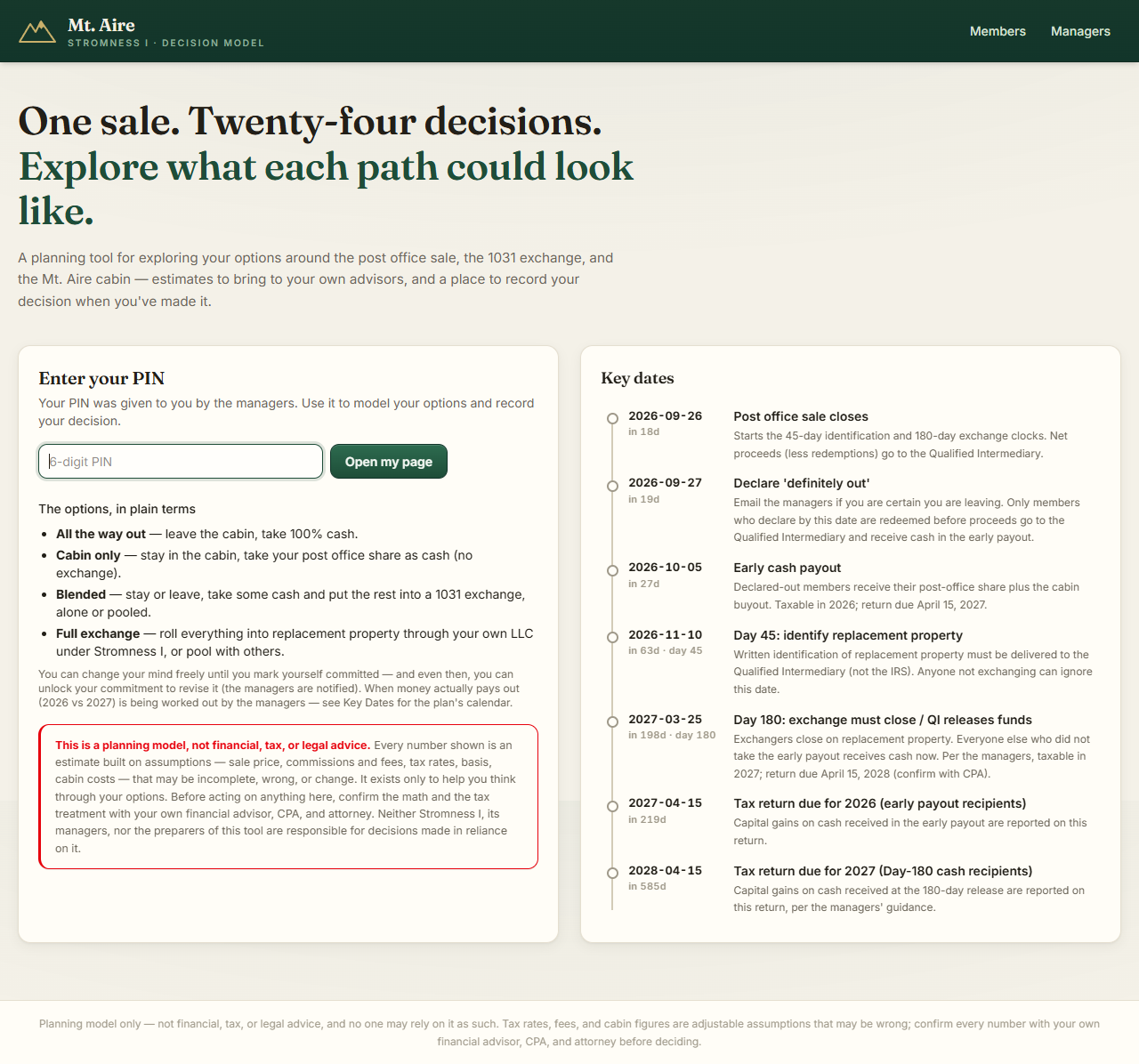
Go to https://mtaire.redirectme.net and enter your PIN (it arrives in a separate email — don't share it; it's the only key to your page). Bookmark your page once you're in.
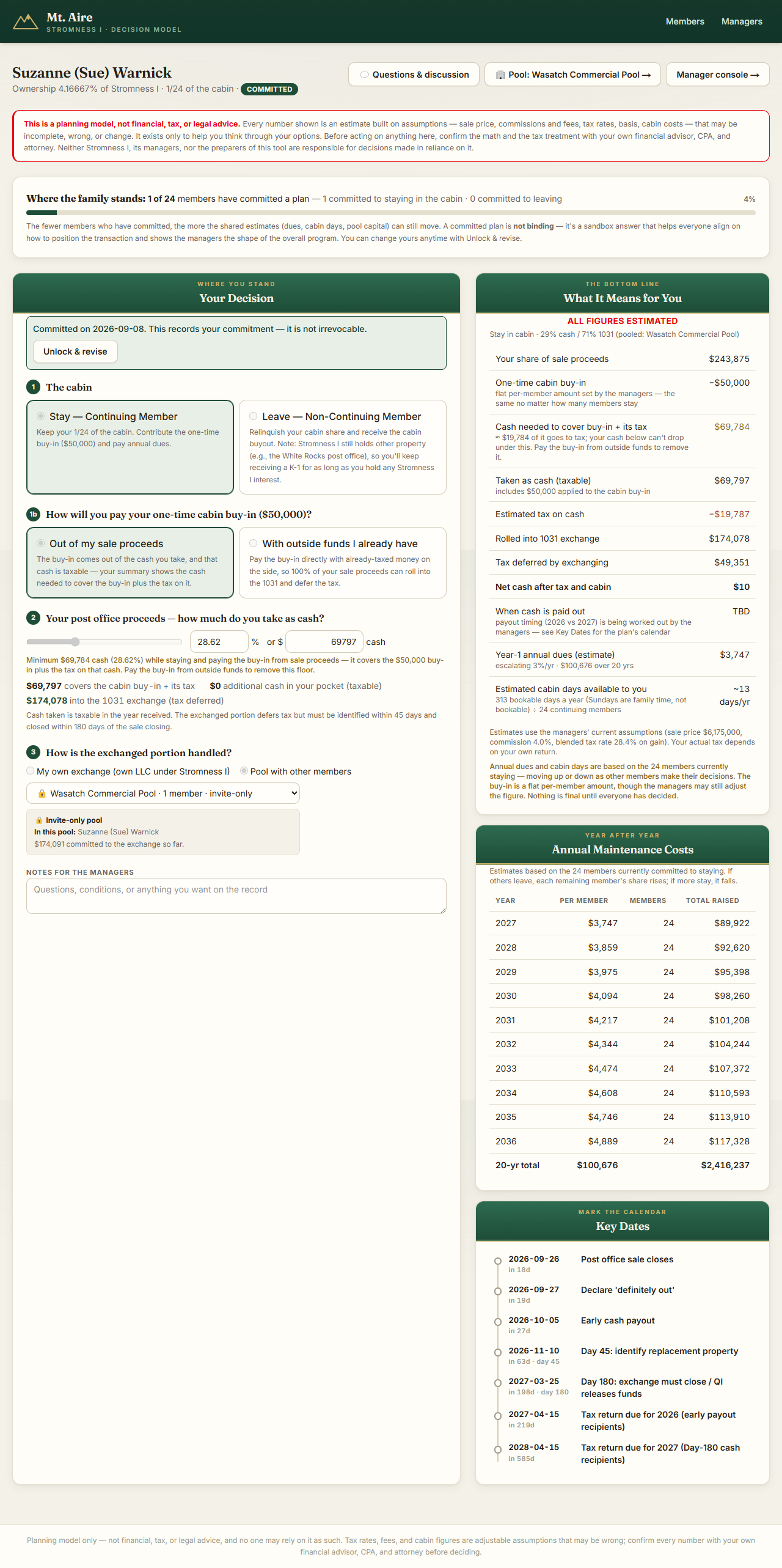
3 · Your decision page
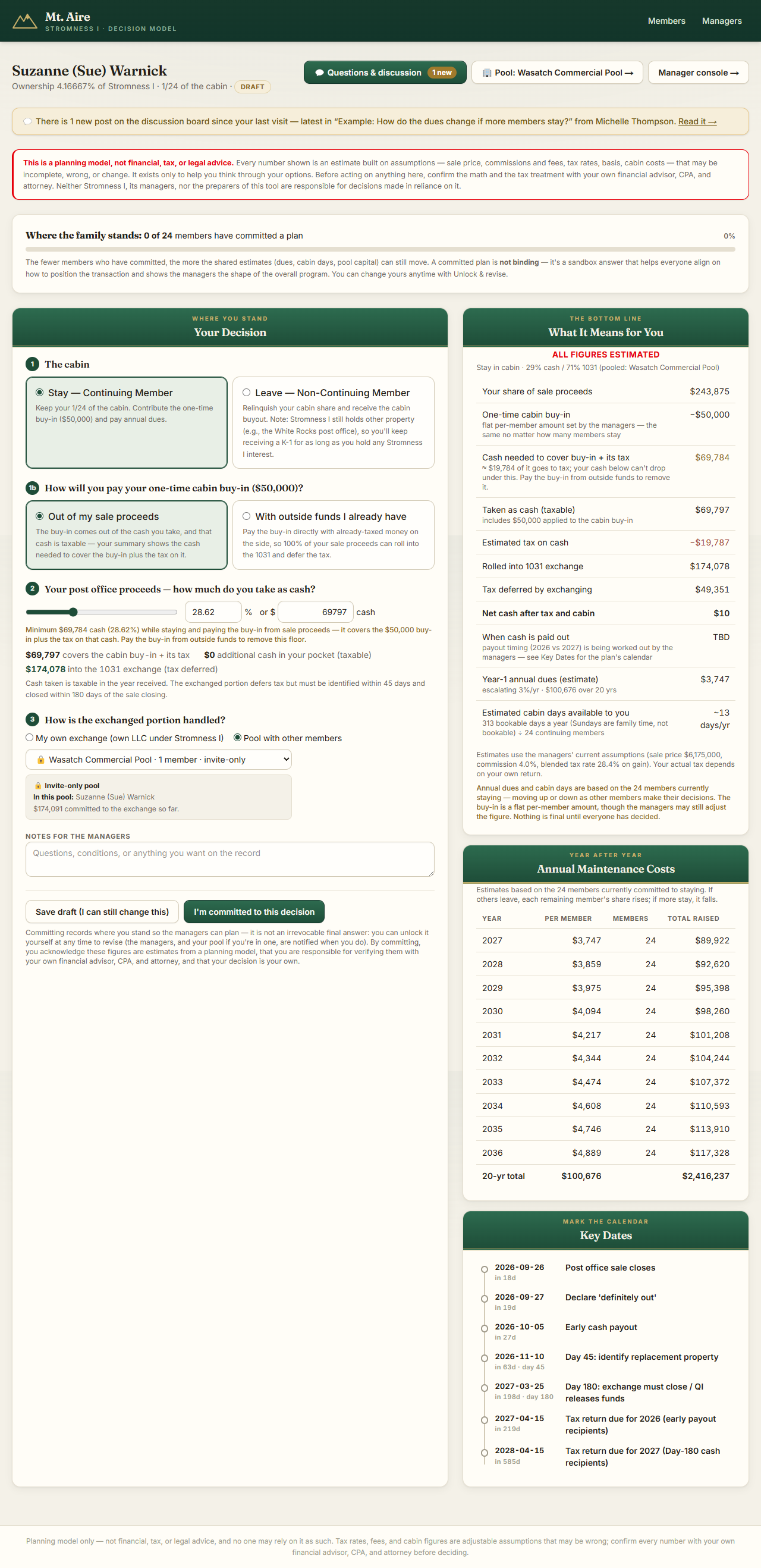
The left column walks you through the choices in order:
- The cabin — stay (Continuing Member) or leave (Non-Continuing Member, receiving the buyout).
- Buy-in funding (stayers only) — pay the one-time buy-in out of your sale proceeds (that cash is taxable), or with money you already have outside the sale, which lets 100% of your proceeds roll into the 1031 tax-deferred.
- Cash vs. 1031 — drag the slider or type a dollar amount. Cash is taxable now; the exchanged portion defers tax. If you're staying and paying the buy-in from proceeds, the tool won't let cash drop below what covers the buy-in plus its tax — that's the “minimum” note under the slider.
- How the exchange is handled — your own exchange, or pooled with other members (next section).
The right column — What It Means for You — recalculates instantly as you change anything: your share of proceeds, the buy-in, taxes, what rolls into the 1031, net cash, dues, and estimated cabin days. The Where the family stands bar shows how many members (never who) have committed so far — the fewer commitments, the more the shared numbers can still move. Key Dates is the plan's calendar; when money actually pays out is shown as TBD because the managers are still settling that.
4 · The 1031, plainly
If you take your share as cash, the gain is taxable. If you roll it into a 1031 exchange (replacement real estate), the tax is deferred. You can split any way you like — some cash, rest exchanged. Two ways to exchange:
- My own exchange — your portion goes toward property held for you alone (via your own LLC under Stromness I).
- Pool with other members — combine with relatives to afford a bigger, better property together. Your share of the pool equals your share of its capital.
The 1031 has hard deadlines (45 days to identify property, 180 to close) — see Key Dates. Talk to your CPA about whether deferring fits your situation.
5 · Creating or joining a pool
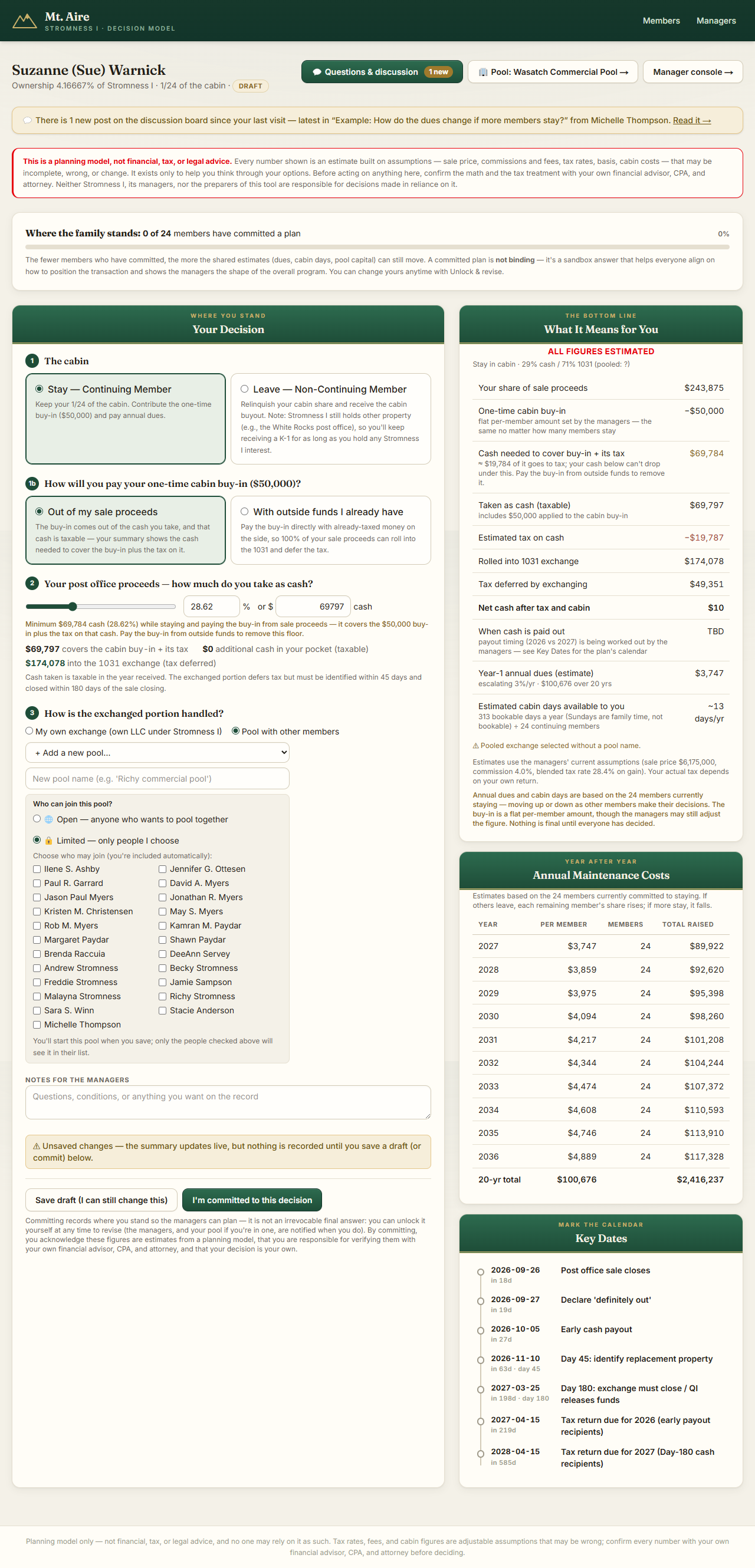
In step 3, choose Pool with other members. The dropdown lists pools you can join — 🌐 open pools, and 🔒 invite-only pools you've been invited to — with who's in and how much is committed. Or pick + Add a new pool, name it, and choose its access. Your contribution to a pool is simply the exchanged portion of your saved decision — save your decision and you're in.
6 · Your pool's workspace
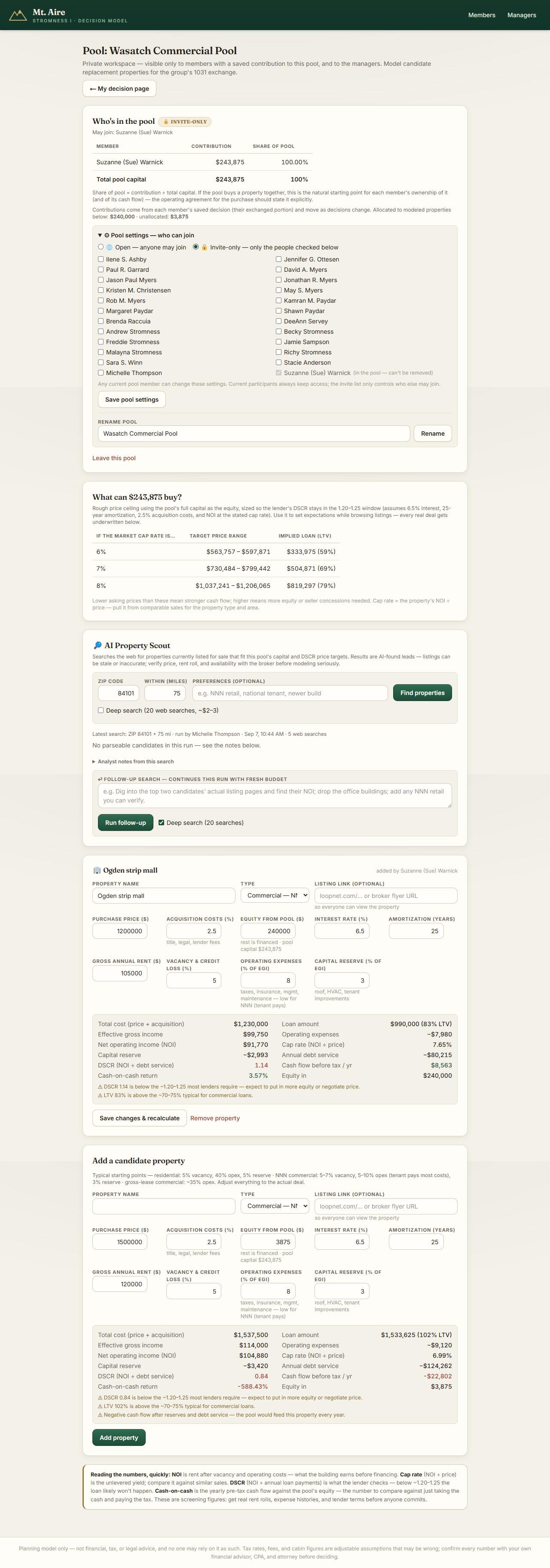
Once you're in a pool, a Pool button appears on your page. The workspace is private to pool members (and the managers):
- Who's in the pool — each member's contribution and share. Under ⚙ Pool settings, any member can switch the pool between open and invite-only, edit invitations (current participants can never be removed), or rename the pool. You can also leave a pool — your money becomes your own exchange again.
- 🔎 AI Property Scout — enter a ZIP code and mile radius and the tool searches the web for real, currently-listed properties fitting the pool's budget. Results appear for everyone in the pool with listing links, and anyone can add research notes or rule a lead out (e.g. “already sold”). Searches cost the family about $1 each (more for deep searches), so they're run by managers and members they've authorized. Treat results as leads — always verify price and rent with the broker.
- Candidate properties — full underwriting per property: price, financing, rent, expenses → NOI, cap rate, DSCR (what the lender checks), and cash-on-cash return, with automatic warnings when a deal doesn't pencil. Anyone in the pool can add, adjust, or remove candidates; everyone can discuss each one and react (🌟 Great opportunity · 🤔 Possibly · 🏃 Run away).
- 🧮 AI Comparison — sends every candidate, the discussion, and the reactions to the AI for a skeptical head-to-head ranking. An estimate to discuss, not investment advice.
- Choosing the property happens outside this tool. These are screening aids — selection, execution, and the Exhibit D identification paperwork are between the pool's members, their own advisors, and the Qualified Intermediary. The Exhibit D form is downloadable from your decision page, and its deadline is in the key dates.
7 · Committing — and changing your mind
Save draft anytime — drafts are just for you and don't count in the family totals. When your plan feels right, press “I'm committed to this decision.” That tells the managers where you stand and moves you into the committed counts other members see.
It is not binding. If anything changes, open your page and press Unlock & revise — your plan returns to draft, you adjust, and commit again. The managers (and your pool, if you're in one) are notified of the change so nobody plans on stale information. There's no penalty and no limit; the point is simply that the family's picture stays honest.
8 · The discussion board
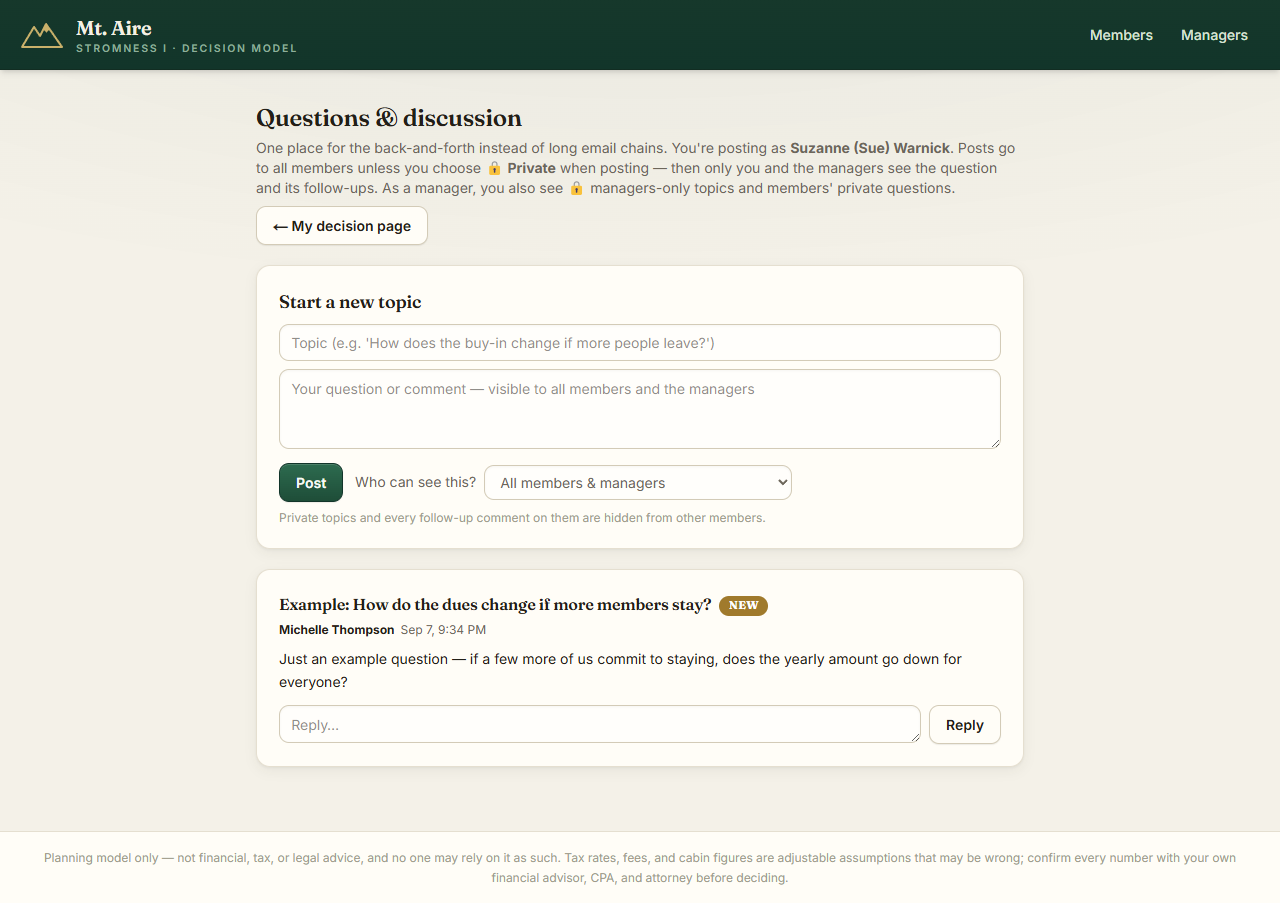
The Questions & discussion button on your page opens the family board — the replacement for reply-all email chains. Start a topic for everyone, or choose 🔒 Private — just me and the managers when a question isn't for the whole family; private threads (and every reply on them) are invisible to other members. When there's something new since your last visit, your page shows a badge and a banner.
9 · Questions?
Post on the board (privately if you prefer), or reach out to Jamie or the managers. And once more, because it matters: everything in this tool is an estimate for planning — bring anything important to your own CPA, financial advisor, or attorney before you act on it.